AI Agent Sandbox: Isolating Code and Tool Execution
How to choose and run an AI agent sandbox: container, gVisor, or microVM, how to block network egress, how to move files and secrets safely, and what to log.
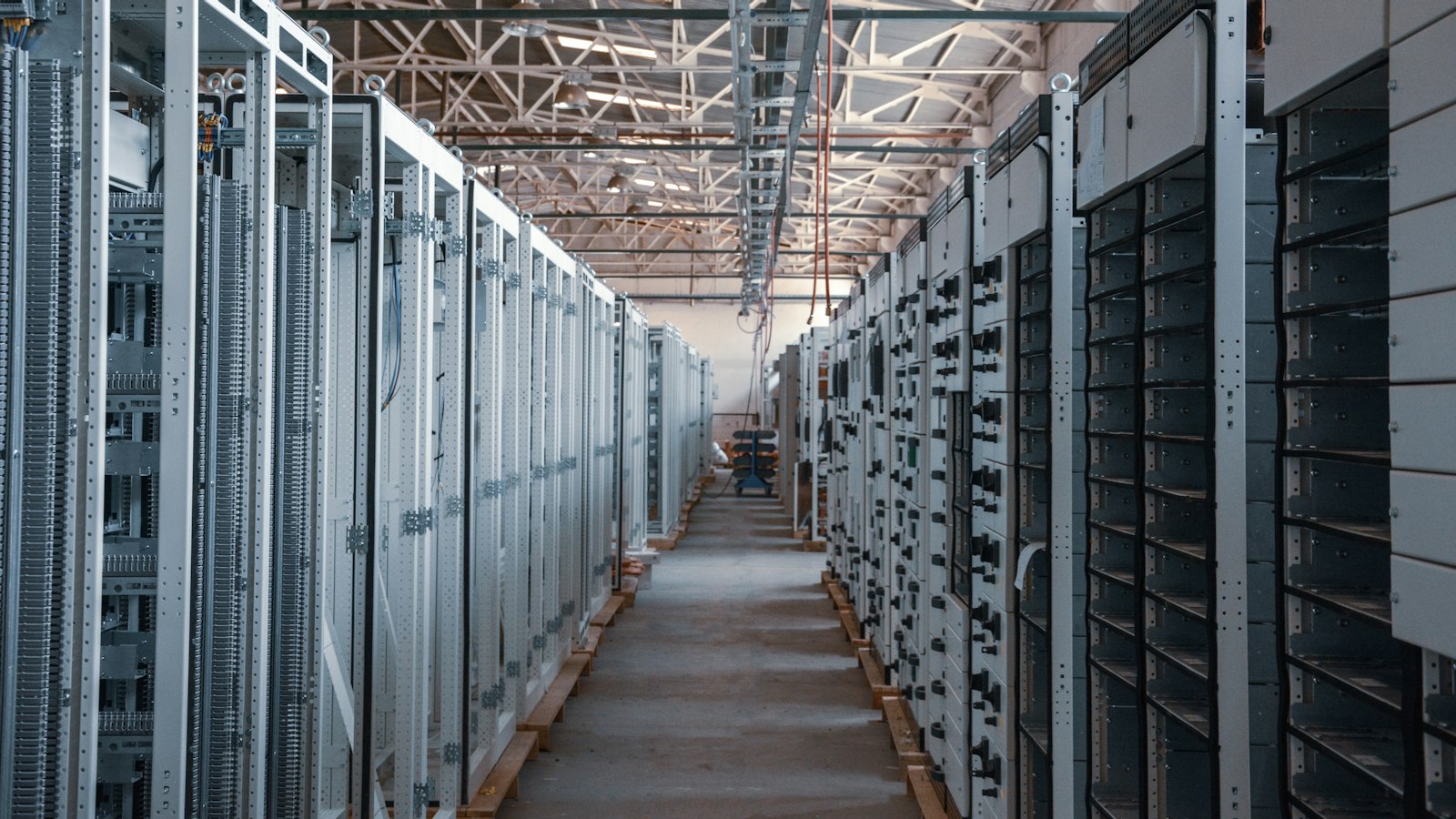
An AI agent sandbox is a boxed environment where the agent’s code and tools run, with limits on files, network, and privileges. If the agent is tricked or wrong, the damage stays inside the box.
Treat every command an agent runs as untrusted. The model wrote it, and the model may have read hostile text five steps earlier.
This post covers the isolation options, how to block egress, how to move files and secrets, and what to log. It ends with a checklist for regulated environments.
What an AI agent sandbox protects
Why sandbox an agent at all? Because an agent that runs code or calls tools can be steered by anything it reads. A web page, a PDF, an email, or a ticket can carry instructions. I cover that attack in prompt injection in AI agents.
You cannot fully stop the model from being fooled. So you limit what a fooled agent can do. That is the job of the sandbox.
Simon Willison names the dangerous combination the lethal trifecta: access to private data, exposure to untrusted content, and the ability to communicate externally. His advice is to avoid that combination entirely. A sandbox helps you break it, because you can allow the first two and remove the third.
A good sandbox protects four things:
- The host. Code cannot touch the machine or cluster it runs on.
- Your other systems. The agent reaches only what you allow.
- Your data. Nothing leaves unless you let it.
- The next run. State from one task does not leak into another.
Anthropic’s engineering team makes a point I agree with. In its write-up on sandboxing Claude Code, it says you need both network and filesystem isolation. Without network isolation, a compromised agent could exfiltrate sensitive files such as SSH keys. Without filesystem isolation, a compromised agent could escape the sandbox and gain network access. One layer alone fails. Anthropic also reports that sandboxing reduced permission prompts by 84% in its internal usage, which is a useful side effect: safe boundaries mean fewer interruptions for people.
A sandbox does not replace least privilege. Give the agent the smallest set of tools and permissions first, as in AI agent permissions and least privilege. OWASP traces excessive agency to excessive functionality, permissions, and autonomy. The sandbox is the second wall, not the first.
Isolation options
There are three common levels. Pick by how hostile the code might be and how strict your auditors are.
Containers. Standard containers share the host kernel. They are fast and familiar. The risk is that a kernel or runtime bug becomes an escape. This is not theory. CVE-2024-21626 let an attacker in runc 1.1.11 and earlier reach the host filesystem through a leaked file descriptor. Hardened containers (non-root, read-only filesystem, dropped capabilities, seccomp) shrink the risk but do not remove the shared kernel.
gVisor-style user-space kernels. gVisor is an application kernel. It implements a Linux-like interface in user space, so the sandboxed code talks to gVisor’s kernel (the Sentry) and not directly to the host kernel. The project says it is not a syscall filter and not a VM in the everyday sense. It aims to give many of the security benefits of VMs with the lower footprint and fast startup of regular applications. The tradeoff, in its own words: reduced application compatibility and higher per-system-call overhead, with poor performance possible for syscall-heavy workloads.
MicroVMs. A microVM gives each sandbox its own guest kernel on hardware virtualization. Firecracker is the best known. AWS built it for Lambda and Fargate, and states startup under 125 ms and memory overhead under 5 MiB per microVM, with a minimal device model that reduces attack surface. The Firecracker paper gives the same figures. Those are best-case numbers on AWS hardware with a minimal guest. Your image and setup will add time.
Kubernetes users have a dedicated option. The Agent Sandbox project provides an isolated execution layer for agents that run untrusted code. It supports gVisor, and Kata Containers, which gives each sandbox a dedicated kernel using hardware virtualization.
Comparison table
Strength and ops cost ratings are my judgment. Startup figures are the published ones where they exist.
| Hardened container | gVisor-style kernel | MicroVM (Firecracker, Kata) | |
|---|---|---|---|
| Kernel exposure | Shares host kernel | Intercepted by user-space kernel | Own guest kernel |
| Isolation strength | Lowest | Middle to high | Highest |
| Startup time | Fast | Fast (project says fast startup) | Under 125 ms published for Firecracker on AWS hardware; more with large images |
| Compatibility | Highest | Some syscalls unsupported or slow | High, since it is a real Linux guest |
| Ops cost | Lowest | Medium: new runtime to run and patch | Highest: needs virtualization on hosts, image and snapshot management |
| Best for | Trusted internal code, low-risk tools | Untrusted code, cluster-based platforms, cost-sensitive | Untrusted code from outside users, regulated data, strict audits |
Network egress controls
Egress is the exit door. Most agent attacks need data to leave. So block the door by default.
Start with no egress. Many tasks, like running a calculation or transforming a file, need no network at all. Give those sandboxes none.
In Kubernetes, a NetworkPolicy can do this. The docs say you create a default egress isolation policy by selecting all pods and allowing no egress traffic. Two catches from the same docs: your cluster needs a network plugin that enforces NetworkPolicy, and policies work at the IP and port level (layers 3 and 4).
apiVersion: networking.k8s.io/v1
kind: NetworkPolicy
metadata:
  name: sandbox-default-deny-egress
  namespace: agent-sandboxes
spec:
  podSelector: {}
  policyTypes:
    - Egress
That policy blocks DNS too. For many sandboxes, that is what you want.
When a task needs network access, use these rules:
- Allow by destination, not by default. Name the hosts. Domain allowlists need an egress proxy, since NetworkPolicy alone sees IPs and ports.
- Send traffic through a proxy you control. The proxy enforces the allowlist, logs every request, and can strip or inspect payloads.
- Block metadata endpoints. Cloud instance metadata services hold credentials. Deny them explicitly.
- Block internal ranges unless a specific internal service is the point.
- Watch DNS. DNS queries can carry data out. Route DNS through a resolver you log.
- Cap volume. Limit bytes out per task so a leak is small.
If the agent must read untrusted content and also reach private data, deny external writes entirely. That removes the third leg of the trifecta.
Files and secrets
How do I pass files in and out?
Treat the boundary like a customs checkpoint.
- In: copy only the files the task needs into a fresh working directory. Mount reference data read-only. Do not mount home directories, repos, or shared drives.
- Out: write results to a single output folder. A separate service, not the agent, collects it. Scan outputs for secrets and personal data before they reach a user or another system.
- Limits: cap file sizes and allowed types on both sides, and use an ephemeral disk destroyed when the task ends.
- Names and paths: never trust a filename the agent returns. Resolve paths and reject traversal like
../.
Secrets
The safest secret is one the sandbox never sees. Options, best first:
- A broker holds the credential. The sandbox calls a local proxy, and the proxy adds the credential to the outbound request. The agent code never reads the key. Anthropic’s Claude Code design follows this idea: internet access goes through a proxy outside the sandbox, and credentials such as git credentials or signing keys are never inside it.
- Short-lived, scoped tokens. Issue a token for one task, one resource, and a few minutes. Tie it to a distinct agent identity (see agent identity and non-human identity).
- Never: long-lived admin keys in environment variables, or secrets baked into images.
Assume anything inside the sandbox can be read by the code running there.
Logging and replay
How do I log what ran?
If you cannot reconstruct what an agent did, you cannot investigate an incident or satisfy an auditor. Log at three layers:
- Agent layer: each model call, tool call, arguments, and result, with timestamps and a task ID.
- Sandbox layer: each process started, command line, exit code, files created or changed, and resource use.
- Network layer: each outbound request or blocked attempt, with destination and byte count.
Tie all three to the same task ID, user, and agent identity. Ship logs to storage the sandbox cannot write to or alter.
For replay, keep enough to rerun the task: the input files, the image or snapshot ID, the tool versions, and the full prompt and tool trace. Set retention by policy. Logs can hold sensitive data, so protect them the same way.
Wire the sandbox to your emergency stop. You should be able to freeze or destroy one sandbox, or all of them, fast. See the AI agent kill switch.
Choosing for regulated environments
Auditors in finance, healthcare, and government ask the same questions. Where does the code run? What can it reach? Who can prove it?
My recommendation:
- Default to a user-space kernel or microVM for any agent that runs model-written code on regulated data. A hardened container alone is hard to defend if the code is untrusted.
- Use a microVM if the agent handles code or files from outside your organization, or if your auditor wants hardware-level isolation.
- Run in your own account or on-prem. Keep data inside your boundary. Check hosted sandbox vendors on where code and files are processed, who can access logs, and what compliance reports they hold.
- Default egress to deny. Make every exception a reviewed change.
- One sandbox per task. Do not reuse sandboxes across users or tasks.
- Patch the runtime. The CVE above shows why. Track your runtime and kernel versions, and upgrade on a schedule.
Start strong and relax later. Loosening a boundary with evidence is easier than tightening one after an incident.
Checklist
Use this before any agent that runs code goes live.
- Each task runs in its own fresh sandbox, destroyed afterward.
- Isolation level chosen on purpose: container, gVisor-style, or microVM, with the reason written down.
- Runs as non-root, read-only root filesystem, capabilities dropped.
- CPU, memory, disk, process count, and wall-clock limits set.
- Egress denied by default; exceptions go through a logging proxy with a destination allowlist.
- Cloud metadata and internal ranges blocked.
- Only needed files copied in; reference data read-only; no home directories or shared drives.
- Outputs collected by a separate service and scanned.
- No long-lived secrets inside; credentials brokered or short-lived and scoped.
- Agent, sandbox, and network logs share a task ID and go to write-protected storage.
- Replay possible: inputs, image ID, tool versions, and trace retained.
- Kill switch tested: you can stop one sandbox or all of them quickly.
- Runtime and kernel patched on a schedule.
- Escape tests run before launch: read host files, reach metadata, send data out.
Bottom Line
Assume the agent can be fooled, and box it in.
Use a user-space kernel or microVM for model-written code on regulated data. Deny egress by default. Keep secrets outside the box. Log everything under one task ID.
Next step: test your current setup. Ask an agent in it to read a host file and call an outside URL. If either works, fix that first.
FAQ
Why sandbox an AI agent? Agents run code and call tools, and they can be steered by content they read. A sandbox limits what a tricked or mistaken agent can reach. You limit the host, the network, the files, and the credentials, so a failure stays small and traceable.
Container, gVisor, or microVM? Use a hardened container for trusted, low-risk code. Use gVisor-style isolation or a microVM for untrusted or model-written code, especially with regulated data. MicroVMs isolate most strongly but cost the most to operate. gVisor sits in the middle, with some compatibility and performance tradeoffs.
How do I block egress? Deny all outbound traffic by default. In Kubernetes, use a default-deny egress NetworkPolicy with a plugin that enforces it. When a task needs network access, route it through a logging proxy with a destination allowlist, and block metadata endpoints and internal ranges.
How do I pass files in and out? Copy only the needed files in, mount reference data read-only, and write results to one output folder. Have a separate service collect and scan outputs. Use a throwaway disk, limit file sizes and types, and reject path traversal.
How do I log what ran? Log at the agent, sandbox, and network layers, all tied to one task ID. Capture model and tool calls, processes and file changes, and outbound requests. Send logs to storage the sandbox cannot alter, and keep enough input and image data to replay the task.
Is a sandbox enough to make an agent safe? No. It is one layer. You also need least-privilege permissions, human approval for risky actions, monitoring, and a kill switch.
Three Ways to Work With TMA
Need an agent built? We deploy production AI agents in your infrastructure. Working pilot. Real data. Measurable ROI. → Schedule Demo
Want to co-build a product? We’re not a dev agency. We’re co-builders. Shared cost. Shared upside. → Partner with Us
Want to join the Guild? Ship pilots, earn bounties, share profit. Community + equity + path to exit. → Become an AI Architect
Need this implemented?
We design and deploy enterprise AI agents in your environment with measurable ROI and production guardrails.
About the Author

Chase Dillingham
Founder & CEO, TrainMyAgent
Chase Dillingham is the founder and CEO of TrainMyAgent. He spent 15+ years as an enterprise architect deploying production systems. Now he builds AI agent platforms that deliver measurable ROI.
Connect with Chase Dillingham on LinkedIn